Many people think meetings are just a necessary evil, but at Your Career Place I see them as one of the strongest tools you’ve got when you start with a clear purpose. When you know exactly why you’re calling people together, who truly needs to be there, and what outcome you’re chasing, everything shifts. You stop wasting time, you cut the waffle, and your meetings actually move work forward. In this post, I’ll walk you through how I do that so you can make your meetings work for you, not against you.
Most of the frustration you feel in meetings comes from one simple thing – nobody’s really sure why they’re there. When I work with teams at Your Career Place, I see it all the time: people show up, talk in circles, then leave wondering what just happened. In this post I’ll walk you through how to anchor every meeting to a clear purpose, so you protect your time, keep your energy, and actually get outcomes you care about – not just another calendar invite from Your Career Place cluttering up your week.
Key Takeaways:
- Start every meeting at Your Career Place with a single, clear purpose that answers one simple question: what needs to be different by the time we leave this room?
- Share that purpose upfront in the invite and at the start of the meeting, so people know why they’re there, what decisions are needed, and what a “good outcome” actually looks like.
- Use the purpose as a filter during the meeting – at Your Career Place we literally ask, “Does this help the purpose?” and if it doesn’t, it goes on a parking lot list or into another meeting.
Getting Started Right
At Your Career Place, I once sat in a project kick-off where someone asked, halfway through, “so… why are we here again?” and everyone laughed because they genuinely weren’t sure. That’s exactly the moment you want to avoid. When you start right – with a laser-focused purpose and outcome – you stop meetings drifting, people know why their time matters, and decisions actually stick instead of dissolving the second everyone walks out.
Why You Seriously Need a Clear Purpose
I watched a team cut their weekly meeting time by 40% simply by agreeing one sentence that answered, “What do we want to walk out knowing or having decided?” If you can’t say that out loud in under 15 words, you’re not ready to invite anyone. A clear purpose lets you pick the right people, the right format, and the right length, so you’re not wasting senior salaries on a conversation that could’ve been a two-line email.
What Happens When You Skip This Step?
In one client company I worked with, they were burning through roughly 25 hours of meeting time a week with no stated purpose – that’s basically half a person’s job spent in limbo. When you skip clarity upfront, you get circular debates, side quests, and vague “action points” nobody owns. People stop preparing, they multitask, and your best thinkers quietly disengage because they can’t see what the meeting is actually for.
What I’ve seen at Your Career Place is that purposeless meetings slowly poison the culture. You get that eye-roll reaction when a calendar invite lands, people start declining by default, and suddenly anything that needs collaboration becomes harder. Projects slip because nobody is quite sure what was agreed. And here’s the kicker: when there’s no clear purpose at the start, it’s almost impossible to hold anyone accountable at the end, because everyone walks away with a different story in their head.
Setting the Scene for Success
At Your Career Place, I like to “stage” the first five minutes like a mini movie trailer: what this meeting is about, what it isn’t, and what you’ll walk out with. That means the invite title is specific, the first slide or sentence states the outcome, and I say who’s deciding what. Even simple cues like “by 10:30 we’ll have chosen one option” instantly shift people from passive listeners into active contributors.
When you set the scene well, people settle faster, they stop guessing the agenda, and they know how to pitch their contributions. I’ll often open with a quick data point or story – “last sprint we missed 3 deadlines, this meeting is to fix that pattern” – so everyone has a shared reality. Then I confirm scope: what’s in, what’s out, and what we’re parking for another time. It sounds tiny, but that 2 minute framing at the start often saves 20 minutes of confusion at the end.
Getting in the Right Mindset
Why it Matters to Start with Purpose
Ever noticed how a 30 minute meeting can feel like three hours when no one is clear on why they’re there? When I anchor everything to a single purpose, I cut waffle, protect your calendar, and usually shorten meetings by 25 to 50 percent. At Your Career Place I point people to research like Apply Purpose To Make Meetings More Efficient, Effective, … because it backs up what you already feel: focus changes everything.
My Take on Preparing Yourself Mentally
What if your mindset before you walk into the room matters as much as the agenda you send out? I always give myself 3 to 5 minutes to reset – no Slack, no email, just me deciding what I want to walk out knowing, deciding and doing. At Your Career Place I call this the “pre-meeting pit stop”, a tiny pause that stops you dragging emotional baggage and half-baked thinking into the session.
When I skip this mental reset, I default to reacting instead of leading, and you probably do the same. So I literally jot one line in my notebook: “If this meeting is a win, it means we’ve…”, then finish the sentence in plain language. I also decide who most needs to leave clearer or more confident, then shape my questions around them. It sounds almost too simple, but once you’ve tried it for a week your meetings start to feel cleaner, sharper, lighter.
The Power of Positive Intentions
How different would your meetings feel if you walked in assuming people want to help, not hinder? I set one simple positive intention before I start, like “help the quietest person speak once” or “leave with one small, shippable next step”. Teams at Your Career Place that do this consistently report fewer flare ups and way more constructive debate, even on topics that usually trigger eye rolls.
When I talk about positive intentions, I’m not talking about fake cheerleading or forcing everyone to be upbeat. I mean choosing the emotional tone you want to bring, on purpose, before anyone joins the call. For example, stepping into a budget-cut meeting with curiosity instead of defensiveness changes the questions you ask, which changes the options you see. Do that across 5 or 10 recurring meetings and you’ve quietly shifted the whole culture from survival mode to problem solving mode.
The Secret Sauce: Having an Agenda
Teams that use a written agenda cut meeting time by up to 30%, and you feel that difference immediately. At Your Career Place, I treat the agenda as the contract: it locks in the purpose, the outcomes, and what is absolutely off-limits for this session. If you’re still fuzzy on why you’re meeting, pause and revisit Defining the Meeting Purpose before you type a single bullet.
How to Craft the Perfect Agenda
Research from Microsoft showed that focused 25 to 30 minute meeting blocks dramatically reduce cognitive overload, so I build my agenda around tight chunks like that. Start with your single top outcome at the top, then list 3 to 5 items max, each with a time box and an owner. If it doesn’t directly move you toward that outcome, it doesn’t get a line on the agenda, simple as that.
What to Include (and What to Leave Out)
High performing teams I work with usually cap agendas at 5 items, even for 60 minute meetings, and that discipline changes everything. You want decisions, options, and data on the page – not vague “discussions” that wander all over. Parking-lot topics live in a separate list, not crammed into the main flow. That’s how you keep everyone focused and your meeting on the rails.
When I’m drafting this at Your Career Place, I literally ask: will this agenda line force us to choose, commit, or move forward in a visible way? If it’s just “sharing updates”, I’ll flip it into a pre-read or an async Loom instead. You can also tag items as Decide / Align / Inform, which helps people show up in the right mindset. And if you’ve got more than 10 minutes without a decision or clear next step, that’s a red flag your agenda is padded with fluff.
Sharing the Agenda – Why It Matters
Teams that get the agenda 24 hours ahead are far more likely to hit their objectives, and you can feel the energy shift when people arrive prepared. I always send it early with owners, timings, and links to background docs so nobody’s caught on the back foot. When your calendar invite, your email, and your agenda all tell the same story, people trust that this meeting is worth their time.
In my own work at Your Career Place, I’ve seen the simple habit of sending the agenda 2 days ahead cut “rambling intro” time by half. People scan it, decide what they need to contribute, and sometimes even solve issues before we get in the room, which is a fantastic problem to have. Sharing it early also flushes out hidden stakeholders who should be there or items that need to move to a different forum, so you clean up the meeting before it even starts.
Layin’ Down the Groundwork
Picture this: it’s 9.59am, everyone shuffles in with coffee, and half the room quietly wonders why they’re even there. This is exactly where I start at Your Career Place – before anyone clicks “Join”, I nail the groundwork so the meeting already has momentum, not confusion.
What’s Your Agenda? Let’s Talk About It
Instead of a vague “team catch up”, I want your agenda to read like a Netflix episode list: specific, time-boxed, and with a clear point to each item. At Your Career Place I aim for 3 to 5 agenda points max, each tied to a decision, update, or problem you actually need the group to solve.
Why You Shouldn’t Skip This Step
When you skip agenda-setting, you basically invite chaos into the room. I’ve seen 60 minute meetings at Your Career Place turn into 15 minute check-ins just because we clarified topics and owners upfront, and people suddenly knew what to prepare instead of winging it.
What really happens without this step is that the loudest person sets the agenda in real time, and that rarely helps your goals. I want you asking: what are the 2 or 3 outcomes that justify dragging eight people into a room for an hour? If each person costs, say, £40 an hour, a “quick chat” can hit £320 before you’ve even opened your laptop. That little bit of maths usually sharpens my focus fast.
Crafting a Killer Agenda Everyone Loves
A strong agenda is specific, short, and shared early. I like to send it 24 to 48 hours before, with time estimates and names next to each item, so people at Your Career Place know where they fit and what they’re expected to bring to the table.
To build one, I start with the purpose we already nailed, then reverse engineer the steps needed to get there. So if the goal is “agree Q3 hiring priorities”, my agenda might be: 1) share last quarter data (5 min), 2) review proposed roles (15 min), 3) debate trade offs (20 min), 4) lock final list and owners (15 min). Short, punchy, and everyone can see why they’re in the room.
Who’s Leading This Show?
Right now there’s a huge trend toward “leaderless” or super-flat meetings, but in my experience at Your Career Place that usually just means the loudest person quietly takes over. You need someone clearly in charge of flow, time and outcomes. That doesn’t mean a dictator. It means a host. If you called the session, you’re probably it – and once people know who’s steering, discussions get sharper, decisions get made faster, and those awkward “so… are we done?” endings basically vanish.
The Role of a Good Chairperson
A strong chair is like a good podcast host: keeps things moving, cuts waffle, pulls in quiet voices, and lands the episode on time. When I chair at Your Career Place, I state the purpose in one sentence, timebox each agenda item, and explicitly assign owners before we move on. You can literally cut meeting length by 30 to 40 percent just by doing those three things consistently.
Keeping the Vibe Positive
Energy in the room tracks straight to results, so I pay close attention to tone. I’ll call out good ideas, not just big ones, and I normalise saying “I don’t know yet” so people don’t posture. Quick wins help too – locking in one small decision early boosts momentum. If you want people to speak honestly, they have to feel safe, not like they’re walking into a firing squad every Tuesday.
When I work with teams at Your Career Place, I’ll often set two simple ground rules to keep the vibe right: attack ideas, not people, and no eye-rolling or side chatter. Sounds basic, but you can literally see shoulders drop when people know they’re not about to be ambushed. I also use light humour to defuse tension, recap progress every 15 minutes so nobody feels stuck, and if things get heated I pause, name it (“this feels tense”), then reset expectations before we dive back in.
Managing Different Personalities
Every meeting is a mix of talkers, thinkers and spectators, and if you don’t manage that, you just get the talkers. I’ll often use “rounds” for key decisions, giving everyone 30 seconds, so the quieter folks actually get airtime. For dominant voices, I’ll say “let’s park that and hear two other views” which keeps them included without letting them run the show. Over time, even the skeptics see that balanced airtime leads to better calls.
In practice, I map personalities in my head before we start: who tends to interrupt, who over-thinks, who shrugs and agrees with anything. At Your Career Place I’ll sometimes message a quieter specialist beforehand, asking them to kick off a topic so they’re not squeezed out. With very strong characters, I give them clear roles (for example, “you’re our risk checker on this item”) which channels their energy instead of fighting it. That way, different styles feel like assets, not problems.
Who’s Taking Charge Here?
I’ve seen the same pattern at Your Career Place over and over: when nobody clearly owns the meeting, it drifts, people talk in circles, and decisions evaporate. When one person takes charge, even lightly, output jumps – fewer side quests, more actual outcomes. You feel it in the room. Energy is higher, people stay engaged, and you walk out with 3 or 4 sharp actions instead of 20 vague “we shoulds” that never happen.
The Importance of Having a Chair
Without a chair, the loudest voice wins, not the best idea. A good chair protects your agenda, your time, and your quieter colleagues. In my workshops at Your Career Place, teams that appoint a clear chair cut average meeting length by around 25% and still get more done. The chair is simply the person who says, “I’ll own the flow, I’ll watch the clock, and I’ll make sure we finish with decisions.”
How to Choose the Right Person for the Job
Picking the right chair isn’t about hierarchy, it’s about skill and headspace. I’d rather see a focused mid-level manager chair a session than a distracted director juggling emails. Ideally, you want someone who understands the topic well enough to guide it, but still has the distance to call time on rabbit holes and push for clarity when things get fuzzy.
In practice, I often tell clients at Your Career Place to rotate the chair role across the team for recurring meetings. You spot quickly who has the natural facilitation instincts: they summarise crisply, they notice who hasn’t spoken, they’re not afraid to say, “Let’s park that.” You can also split roles – one person chairs, another tracks actions – so you’re not expecting a single superhero to do everything while also contributing deeply on content.
What Makes a Great Meeting Chair?
The strongest chairs I’ve worked with do three things well: they set expectations at the start, they intervene early when things drift, and they land the plane cleanly at the end. They’re not tyrants, but they are firm – “we’ve got 10 minutes left for this item, what decision do we need?” They listen hard, translate waffle into clear points, and turn debates into specific actions with owners and dates.
If you’re wondering how to get better at this yourself, start small: at Your Career Place I often suggest you practice in a 30 minute internal catch-up. Say out loud what the meeting is for, timebox each item, then finish with a 60 second recap you email to everyone. Over a month or two, you’ll notice people talk less in circles because they know you’re going to ask, “So what are we actually doing next?” That’s when you know you’re truly chairing, not just hosting.
Should We Take Notes?
With AI note tools exploding in the last 2 years, I see more teams at Your Career Place quietly asking: do we still need “minutes”? In my view, yes – but with a lighter touch. You don’t need a verbatim script, you need just enough of a record so nobody argues later about what was agreed, who owns what, and when it’s due. If your meetings end with “wait, what did we actually decide?”, that’s your signal to start capturing it.
The Importance of a Meeting Record
In one internal review at Your Career Place, 4 out of 5 delayed projects had the same root cause: people walked out of meetings with different ideas of what had been agreed. A simple one-page record fixes that. You protect decisions from fading memories, keep people accountable, and give absentees a quick way to catch up without scheduling yet another update call.
Different Ways to Keep Track
Instead of over-engineering it, I usually suggest you match the record to the meeting type: a shared doc for project check-ins, a quick summary in your task tool for sprint reviews, and an AI transcript plus highlights for complex workshops. The goal isn’t pretty formatting, it’s making sure anyone can see, in 2 minutes, what changed because you met.
A practical trick I use at Your Career Place is “live notes on screen” – one person types into a shared doc or Miro board while everyone watches. It forces clarity in real time, because if the note doesn’t capture what you meant, you’ll say so. For recurring meetings, pin the running log in Slack or Teams so you can scroll back months and see decisions, reversals, and why certain calls were made, without hunting through inbox chaos.
Sharing the Minutes – Is It Necessary?
Given how much hybrid work we all do now, I’d say if a decision affects more than 3 people, the minutes should be shared. That doesn’t mean blasting a 10-page PDF to the whole company, it means a short summary in the right channel: project space, Slack thread, or your CRM. If nobody outside the room needs it, a lightweight record for attendees is usually enough.
What I push for at Your Career Place is a clear habit: minutes live where work lives. So product decisions go in the product board, hiring decisions in the ATS, client decisions in the CRM, not buried in random email attachments. Sharing then becomes less about “sending minutes” and more about linking to a single source of truth, so when someone asks “who agreed this with the client?”, you can point to one place, not reconstruct the past from memory.

Keeping Track of the Good Stuff
Ever left a meeting thinking “that was good” then two weeks later nobody can say what actually changed? At Your Career Place, I treat the good bits of a meeting like assets – ideas, decisions, next steps – and I want them captured somewhere reliable. When you keep track of what worked, you can repeat it, scale it, and prove it, which quietly turns meetings from energy drains into a rolling record of progress you can actually point to.
Do You Need a Meeting Record? Here’s What I Think
How often have you heard “I’m sure we agreed that already” and nobody can prove it? I don’t think you need a formal record for every quick catch up, but the moment money, risks, clients or people decisions are involved, I’d bet you do. At Your Career Place I use a simple rule: if you’d hate to argue about it later, capture it now, in writing, while everyone still agrees.
The Benefits of Documenting Decisions
Why bother writing things down when everyone was “in the room”? Because memory is terrible and bias is sneaky. A short record cuts through all that, protects you when priorities shift, and gives new joiners context in minutes instead of hours. At Your Career Place I’ve seen one tight page of notes save weeks of rework, just because we could say: “Here’s what we decided, here’s why, and here’s who owns it.”
When I talk about documenting decisions, I don’t mean a five-page novella that nobody reads, I mean a practical little history of what your team chose to do and why. In one client project, simply tracking decisions dropped their “didn’t we decide this already?” debates by about 40% over a quarter, which is a huge win in meeting time. You also get a learning loop: six months later you can review what you decided, see what worked, and adjust faster. Over time that habit quietly becomes one of the strongest performance tools you’ve got.
Types of Records: What Works Best?
What kind of record actually works in real life, not just in a handbook? For tiny huddles, I’ll often use a quick Slack summary; for recurring leadership meetings at Your Career Place, it’s a one-page action-and-decisions log; for complex projects, a living decision register in a tool like Notion or Confluence earns its keep fast. The right format is the one you’ll genuinely keep up, not the fanciest one.
| Lightweight chat summary | Perfect for 15-minute stand ups and daily huddles |
| One-page action log | Great for weekly team or leadership meetings |
| Decision register | Best for long-running projects with lots of stakeholders |
| Structured minutes template | Useful for board, HR or client governance meetings |
| AI-generated transcript + summary | Handy for workshops, discovery sessions and complex reviews |
I like to keep the tooling brutally simple: one template per meeting type, ideally living where your team already works (Teams, Google Drive, Notion, whatever). In one 50-person company we worked with at Your Career Place, simply moving their board and project records into a shared workspace cut “where’s that file?” hunting by half within a month. Knowing you can find the right record in under 30 seconds is what turns documentation from a chore into an everyday advantage.
- Use chat summaries for quick huddles and stand ups
- Keep a one-pager for team and leadership meetings
- Maintain a decision register for big, messy projects
- Rely on structured minutes for formal or high-risk meetings
- Layer in AI transcripts only when nuance or detail really matters
Less Is More: Keeping It Small
What if trimming your attendee list was the fastest way to fix half your meeting problems in one go? At Your Career Place I’ve seen projects move 30% quicker simply by capping decision meetings at 5 people. Smaller groups stay focused, speak up more, and actually finish on time. You cut the side chats, the grandstanding, and the “just listening” crowd. Fewer people in the room means more ownership, clearer actions, and far less faffing about.
Why Fewer People Equal Better Meetings
Why do meetings with 5 people feel sharp, while 15 feels like wading through mud? Cognitive research suggests real conversation breaks once you go past about 7 people, and I see that play out with clients at Your Career Place all the time. In small groups, everyone talks, decisions land faster, and you don’t spend half the meeting “going around the room”. Fewer seats at the table usually means more impact from each one.
How to Choose Who’s Invited
Who actually needs to be in the room for this to move forward? I always start with three roles at Your Career Place: the decision maker, the people doing the work, and anyone directly affected by the outcome in the next 2 to 4 weeks. If someone is only there to “stay in the loop”, they get a summary instead. This simple filter keeps most meetings to 4 to 6 people, which is where the magic usually happens.
When you’re deciding who to invite, write the meeting purpose at the top of a doc and list every potential attendee underneath. Then ask one blunt question against each name: “What specific decision, information, or expertise will this person add?” If you can’t answer in one sentence, they’re an update, not an attendee. I like to add “consulted” slots too – people I’ll ping before or after instead of dragging them into a 60 minute call they don’t need.
The Dynamics of Small Groups
What actually changes when you go from 12 people to 5? In small groups, you get fewer speeches and more real dialogue, because it feels more like a team huddle than a presentation. At Your Career Place I’ve watched talk time even out dramatically once we hit that 4 to 6 person range. People interrupt less, ask better questions, and take more risks with ideas because they’re not performing for a crowd.
In those smaller setups, you can also play with structure a bit more. I’ll often open with a quick round of 30-second check-ins so everyone speaks in the first five minutes, which kills the passive “camera off and silent” vibe straight away. You can run fast decision sprints too: 10 minutes to frame the issue, 10 for options, 10 to decide. That rhythm just doesn’t work when you’re herding 14 people who all feel they need their say.
Bigger Isn’t Always Better
Ever noticed how a 4-person chat at Your Career Place can solve in 20 minutes what a 14-person meeting drags out for an hour? Once you’ve nailed the purpose, extra bodies just add noise, politics, and side conversations. I’ve seen productivity drop off a cliff after about 7 people – past that, the loudest voices win and everyone else quietly checks email. If you want real decisions, not a performance, you need the smallest crew that can actually do the work.
Is Smaller Really Smarter? Here’s Why
What if cutting your meeting list in half doubled the useful output? When I capped project sessions at 5 people at Your Career Place, decisions sped up and action items actually got done. Fewer people means less status theater, more real talk, and way less context-switching. You don’t need everyone “in the loop” live – you need the right mix of deciders, doers, and domain experts who can move things forward today.
Finding the Right Number of Attendees
So how many people do you actually need in the room? For most decision or planning meetings at Your Career Place, I aim for 3 to 7: one owner, one or two deciders, a couple of key contributors, and maybe a specialist. Anything bigger is usually an update session, not a working meeting. If you can’t explain why each person’s presence changes the outcome, they probably don’t need to be there live.
When I’m stuck on the list, I literally write the meeting purpose at the top of a doc, then list potential names under “must-have to decide” and “nice-to-have for context.” Only the first group gets an invite, the rest get a lean summary afterward. For complex cross-functional projects at Your Career Place, I’ll often break things into two meetings – a tiny decision group and a broader info session – so you avoid turning one invite into a 15-person circus.
Tips for Keeping Your Group Lean and Mean
Wondering how to stop every meeting at Your Career Place becoming an open house? I start by writing the purpose in the invite, then calling out roles like “decision maker” or “presenter” so it’s clear this isn’t a spectator sport. I also give people explicit permission to decline if they’re not crucial. And when someone says “can I bring X?”, I ask what decision X will influence – if there isn’t one, they stay out.
- Write the purpose and expected decision right in the calendar invite.
- List roles (owner, decider, contributor) so people know why they’re there.
- Share a written recap so non-attendees still stay in the loop.
- Push for 1:1s or comments on a doc instead of inviting “just in case” extras.
- The default should be a small working group, not a room full of onlookers.
When I coach managers at Your Career Place, I get them to track attendees for a month, then highlight anyone who didn’t speak in at least two meetings – those folks are first to drop from future invites. Another simple move is setting a soft cap (say, 6 people), then forcing yourself to justify every extra seat in writing. The real shift is cultural: your team needs to see a slim invite list as a sign of respect for everyone’s time, not as exclusion or secrecy.
- Audit past meetings to spot regulars who rarely contribute meaningfully.
- Set a default cap (5-7 people) and require a reason to go beyond it.
- Offer follow-up notes or quick check-ins instead of live attendance.
- Train your team to ask “what’s my role in this meeting?” before accepting.
- The more you normalize lean meetings, the faster your whole calendar starts to breathe again.
Time’s Ticking: Limiting Meeting Length
Short meetings force clarity in a way two-hour marathons never will, and at Your Career Place I see this change teams fast. When you cap a session at 25 or 45 minutes instead of the classic 60, people come prepared, side chats shrink, and decisions actually get made. You cut out waffle, you cut out repetition, and weirdly you often get better thinking because your brain knows it has to land the plane, not circle forever.
Why Shorter Meetings Are Better
When you shrink a meeting from 60 to 30 minutes, you’re not just saving 30 minutes – you’re doubling the pressure to focus. In practice, I’ve seen teams at Your Career Place halve their meeting length and still cover the same agenda, simply because people stop story-telling and start problem-solving. Shorter slots reduce Zoom fatigue, protect deep work, and strangely, people speak more clearly when they know the clock is not their friend.
How to Stick to the Schedule
If you want to keep a meeting short, you have to treat the clock like another participant. I like to timebox each agenda item (5, 10, or 15 minutes) and say that out loud at the start so everyone knows the rules. You can use a simple phone timer on the table, a Zoom countdown, or a visible clock, then cut or park anything that doesn’t fit into those boxes.
In practice, this means you don’t let small overruns slide “just this once” because that’s how a 30-minute catch-up becomes a 70-minute slog. I’ve found it helps if you nominate a timekeeper who’s allowed to interrupt and say, “2 minutes left on this item, what’s the decision?” At Your Career Place, I also use a simple parking lot: any topic that pops up but isn’t on the agenda goes onto a shared doc or whiteboard, and we either handle it asynchronously or schedule a separate, focused session. That way you stay disciplined without losing genuinely useful ideas.
Breaks: Yes or No?
For anything under 45 minutes, I’d skip formal breaks and just finish on time (or early) so people get their break back. Once you’re past the 60-minute mark, productivity drops sharply, so a 5-10 minute pause every 60-75 minutes helps more than it hurts. In longer strategy days at Your Career Place, I plan proper breaks into the agenda so people can stand up, hydrate, and reset before we dive back in.
The trick is not letting breaks turn into black holes where people wander off mentally and never quite return. I like to set clear re-start times, put a timer on the screen, and give people a reason to come back on time, like “When we’re back, we’ll vote on the final three options.” You can also vary the type of break: sometimes it’s just coffee, sometimes it’s a 3-minute stretch, sometimes it’s a quick walk-around-the-block reset. You’re not just being nice – you’re protecting the quality of attention in the second half of the meeting.
Time’s Ticking – Let’s Get on With It!
Shorter meetings at Your Career Place almost always lead to better decisions, which still surprises people who think more time equals more thinking. When I cap a session at 25 or 40 minutes, you feel the energy change instantly – people cut the fluff, stay on topic, and you actually finish with something concrete. You’re not trying to squeeze work into a meeting, you’re using time pressure to sharpen it.
Why Limiting Time’s Crucial for Success
In my experience at Your Career Place, if you double the time, you don’t double the value, you usually just double the waffle. Parkinson’s Law kicks in and the conversation expands to fill every spare minute. When you say “we’ve got 30 minutes, not a second more”, your brain automatically prioritises, people come better prepared, and you protect your team’s energy for actual deep work.
How to Keep Everyone Focused When the Clock’s Ticking
What works best for me is treating time like a visible teammate in the room. I start with a quick “we’ve got 10 minutes per topic”, set a countdown timer where everyone can see it, and tie each agenda item to a decision or outcome, not just “discussion”. That simple combo keeps people sharper and stops your meeting dissolving into storytime.
At Your Career Place, I’ll literally say, “we’ve got 3 minutes left on this, what decision can we make right now?” and it jolts everyone back into focus. You can also park tangents in a “later” list so people feel heard without derailing the clock. If someone keeps drifting, I use a gentle interrupt like “I’m going to pause you there so we can land this point” – respectful but firm, and it signals to everyone that time boundaries actually matter.
Pro Tips for Sticking to Your Schedule
One small tweak that changed everything for my clients at Your Career Place was scheduling 25 or 50 minute meetings instead of the default 30 or 60. I also lock in a “hard stop” statement at the start so it’s socially acceptable to cut things off. You’re not being rude, you’re protecting everyone’s calendar and attention.
- Start 5 minutes past the hour but always end 5 minutes early so people can breathe between calls.
- Assign a “timekeeper” who can call out, “2 minutes left on this topic” without it feeling personal.
- Chunk your agenda into tiny blocks (5-10 minutes) so you’re always moving and nobody can hog the floor.
- Use a visible timer on screen or in the room so the clock isn’t just living in your head.
- Any recurring meeting that constantly runs over probably needs a tighter scope, not a longer slot.
When I coach teams on this at Your Career Place, I get them to track for one month how long meetings were scheduled for versus how long they actually needed, and the gap is usually embarrassing. That data gives you permission to slash durations by 25 to 50 percent. Then you iterate: shorten, simplify the agenda, cut who attends, and keep checking back with the team on what still feels bloated so your schedule finally works for you, not the other way round.
- Review recurring meetings every quarter and delete or halve anything nobody can justify clearly.
- Bundle small topics into one “decision block” instead of scattering them across multiple calls.
- Default to async updates (email, Slack, recorded video) and reserve meetings for true discussion.
- Set a personal rule: if there’s no clear outcome in the invite, you decline or ask for clarity.
- Any time you finish early, end early on purpose and tell people “this is what success should feel like”.
Spice It Up: Making Meetings Engaging
With more teams shifting to hybrid work, I’ve seen a clear pattern at Your Career Place: the most effective meetings are also the most engaging. You don’t need circus tricks, you need intention – small tweaks like rotating who kicks things off, using quick polls, or asking one provocative question can spike energy. When people feel involved, they listen harder, decide faster, and actually follow through. Engagement isn’t fluff, it’s a productivity tool hiding in plain sight.
Cool Activities to Break the Ice
I like to steal tricks from workshops here: 60-second intros, “one word for how you’re arriving”, or a two-question poll in Zoom or Teams can loosen everyone up fast. At Your Career Place, we often use a quick “win of the week” round – it sounds simple, but it lifts energy in under 5 minutes. Keep it light, time-boxed, and relevant to the work, not some forced, cringey game nobody asked for.
Switching Up the Format – What Works?
Static, one-person-talking meetings are dying out for a reason, they’re boring and they waste talent. I’ll often switch to a 10-10-10 format: 10 minutes context, 10 minutes small-group discussion, 10 minutes decisions. You can also try “silent brainstorm first, talk second” to help quieter people. At Your Career Place, formats that give everyone a clear role consistently cut meeting time by 20 to 30 percent in my experience.
When I experiment with formats, I start from the outcome: are you trying to decide, generate ideas, or update? For decisions, I like a “pre-read plus 15-minute decision meeting” where everyone comments in the doc first, so the live time is purely for trade-offs. For ideas, 5 minutes of solo writing in a shared doc before anyone speaks usually doubles the number of usable suggestions, because introverts finally get space. And if it’s a status update, turning it into a “blockers and next steps” round-robin stops people reading slides at you and keeps things sharp.
Creating a Positive Atmosphere
Plenty of teams underestimate how much the vibe in the room affects outcomes, but a 2023 Microsoft study found positive, connected teams are up to 50 percent more likely to hit deadlines. I like to set ground rules upfront: no interruptions, cameras on if possible, assume good intent. Simple things like using first names, acknowledging effort, and giving people 10 seconds to think before they answer can shift the whole mood. At Your Career Place, that tone shift alone has turned tense project reviews into actually useful conversations.
When I want to dial up that positive atmosphere, I’m very deliberate: I open with appreciation (one specific thing that went well), not problems. Then I use language that focuses on learning rather than blame, like “What did this teach us?” instead of “Who dropped the ball?” If a discussion gets heated, I’ll pause and say, “Let’s slow this down, we’re on the same side here,” which sounds small but it resets people surprisingly fast. Add in practical touches – decent lighting, water, snacks, a 2-minute stretch break on the hour – and you signal that people’s energy actually matters, not just their output.
Mixing It Up Is Key
Most people assume meetings have to follow the same script every time, but at Your Career Place I see performance jump when you deliberately change the format. Rotate who chairs, switch rooms, flip from presentation-heavy to discussion-first, or run quick stand-ups instead of sitting for 90 minutes. Even simple tweaks, like starting with a 5 minute win-round or ending with a lightning action review, keep people alert. Variety stops meetings sliding into autopilot and helps your team actually pay attention to the purpose you set in the first place.
Seriously, Variety Makes a Difference
It’s easy to think variety is just “nice to have”, yet a Microsoft study of 40,000 workers found back-to-back identical meetings spike stress and tank focus. When you mix formats – small-group breakouts one week, decision-only sessions the next – you reset people’s brains. At Your Career Place I’ve watched the same team go from flat to energised simply by changing room layout and who leads each section. Tiny shifts like that make your agenda feel fresh instead of like déjà vu with biscuits.
Fun Ideas for Keeping Meetings Engaging
People often assume “fun” means gimmicky, but small playful elements can make serious work land better. Try a 60-second “win of the week” round, rotate a “question of the day” host, or run 10-minute breakout huddles to solve one problem fast. You can even timebox items with a visible timer so everyone feels the pace. At Your Career Place I’ve seen energy levels double when I add just one interactive element instead of yet another slide deck.
To go a bit deeper on this, I’d start by picking just one or two fun tweaks so it doesn’t feel forced. For example, you might have one person each week bring a short client story, or run a quick “silent brainstorm” on sticky notes (or in chat) before anyone speaks – this stops the loudest voice taking over and research from Google’s Project Aristotle backs up how psychological safety boosts performance. You can also assign rotating roles like “timekeeper” or “devil’s advocate” which keeps people involved without chewing up time. Over a month or two you’ll see a pattern: the more people participate, the less they clock-watch and the more actual decisions get made.
Why a Change of Pace Can Boost Productivity
There’s a myth that a steady, predictable rhythm is always best, yet our brains just don’t work like that. Shorter, sharper meetings followed by focused work blocks usually beat one long slog. When I help teams at Your Career Place switch from weekly 2-hour marathons to tighter 30-minute sessions, we typically see faster decisions and fewer follow-up emails. Changing the pace stops cognitive fatigue kicking in and keeps your agenda aligned with how people actually work.
Digging into the why helps you sell this to your team. Cognitive science studies show attention naturally dips after about 20 minutes, so if your meeting feels like a slow trudge, you’re literally fighting biology. By alternating quick-fire sections with slightly longer discussions, or by splitting big topics into two shorter meetings, you lower that mental load. You can even experiment: run a month of timeboxed 25-minute “sprints” with clear outcomes, then track how many decisions stick without rehashing. When you see rework and confusion drop, it gets much easier to argue for a new meeting rhythm as your normal way of working.
Wrapping It Up Right
Harvard researchers found that people rate experiences up to 20% higher if the ending is handled well, so at Your Career Place I focus as much on the last 5 minutes as the first 5. A tight close, a fast recap, and visible next steps turn a 45 minute chat into a real decision forum. If you want more on this, I unpack it in How to make meetings work – starting with a clear purpose.
The Importance of a Good Ending
Psychologists call it the “peak-end rule” and it explains why people judge the whole meeting by how it wrapped up. At Your Career Place, when we finish with a crisp recap and one clear decision, attendance and engagement in the next session jump. You want people leaving thinking, “that was worth my time”, not “what did we actually decide?”.
How to Summarize Effectively
In most teams I work with, a sharp 60-second recap cuts follow-up confusion by half, no fancy tech required. I just hit three beats: what we decided, what we parked, and who owns what by when. Say it out loud, then stick it in writing within an hour so nobody can say, “I thought someone else had that”.
When I’m wrapping at Your Career Place, I literally start with, “Ok, quick recap so we’re all on the same page”. I then list decisions in plain language, not jargon, and I sanity-check them: “Does anyone disagree or see a risk I’ve missed?”. If you’ve got a hybrid room, call out names so remote people confirm too, then drop the same bullets into your follow-up so your summary isn’t just something you said once and forgot.
Leaving with Action Items
A Microsoft study found 41% of meeting time is wasted, and vague actions are a big chunk of that. I always push for owner, outcome, and deadline for every single task. No “we should” or “someone will” – it’s “Priya will send the draft by Thursday, 4pm”. That tiny shift is where meetings start turning into actual progress.
What I’ve seen work best at Your Career Place is building the action list live in front of people, not after. I’ll share a doc or slide, type as we talk, and literally ask, “Whose name is going next to this?”. If someone hesitates, we either split the task or shrink it until they’re happy to own it. Before anyone leaves, I read the list back quickly so there’s no wriggle room later when inboxes get noisy.
Wrapping Things Up Right
I once watched a project implode simply because nobody wrapped the meeting up properly – people walked out with five different ideas of what had been decided. At Your Career Place, I push you to treat the last 5 minutes as sacred. You clarify decisions, lock in owners, set deadlines, and say what happens next. That tiny window is where vague chat turns into real work, and if you get it right, you cut follow-up confusion by half and stop the “wait, who was doing that?” chaos.
How to Make Sure You Finish Strong
Near the end, I always pause and say something like, “Alright, let’s land this properly.” Then I run a 3-point check: what we decided, who owns what, and by when. You can literally timebox it to 5 minutes. If you use tools like Notion or a shared doc, type actions live so people see their name next to tasks. That way nobody can claim surprise later.
Key Takeaways: What to Cover Before You Go
In the last moments, I want you to hit four things: decisions made, action owners, deadlines, and risks or open questions. At Your Career Place, I often use a simple checklist: “What did we decide? Who’s doing what? By when? What could trip us up?” It sounds basic, but teams that do this consistently see fewer surprises and far fewer passive-aggressive follow-up emails.
When I coach managers, I sometimes ask them to record their next three wrap ups (audio on their phone is fine) and then play them back. Most realise they ended with “OK, cool, thanks everyone” instead of clear takeaways. So you can try this: before you close, literally say, “Your key takeaways from today are…” then list 3 bullets verbally. Keep it short, specific, and action-shaped, like “You own the client email by Wednesday” not “You’ll look into it.” That tiny language shift changes how seriously people treat the work.
Leaving Room for Future Conversations
Not every topic will fit neatly into one meeting, and that’s fine if you plan for it. I like to call out “parking lot” items and immediately schedule a follow-up or assign someone to dig deeper offline. You might say, “This needs its own 30-minute chat, let’s book that now.” When you treat future conversations as intentional, not accidental, your meetings stop sprawling and your team trusts that hard topics won’t just vanish.
When I run workshops for Your Career Place clients, I see the best teams treat unresolved items like mini-projects, not awkward leftovers. So if a thorny issue surfaces, you name an owner, give them a timeframe to explore it, and decide how you’ll revisit it (new meeting, async doc, quick huddle). You also state what won’t happen until that follow-up is done, which quietly protects people from scope creep. Future conversations then feel like progress, not punishment.
What’s Next? Planning the Follow-Up
Instead of treating the meeting as the main event, I treat it as halftime – the follow-up is where you either win or quietly drift. At Your Career Place, I ask teams to block 10 minutes right after key meetings to log actions, deadlines, and owners in one shared place. No mystery, no fuzzy notes. If you do that consistently for 3 months, you’ll start seeing a very simple pattern: meetings stop being “talking shops” and start looking like a steady production line of decisions turned into outcomes.
Keeping the Momentum After the Meeting
Energy naturally dips the second people leave the room, so I try to bottle it fast. Within an hour, I’ll send a short recap from Your Career Place with 3 parts: decisions, actions, and dates. Nothing fancy, usually under 300 words. You might even pre-write half of it in the agenda doc. The goal is simple: while everyone still has the conversation in their heads, you turn loose ideas into very specific commitments that are hard to ignore tomorrow morning.
Setting Expectations for Next Steps
Instead of letting “we’ll follow up” hang in the air, I like to spell out exactly who does what by when, in writing, before anyone logs off. At Your Career Place, I push teams to use a simple format: owner, action, deadline, success metric. When you do this live, you avoid the classic trap where five people think someone else picked it up. Clear expectations today are what stop awkward chasing emails two weeks later.
To go a bit deeper, I’ll literally say in the room, “Ok, so what will you have in my inbox by next Thursday at 3pm?” and wait for a specific answer. That phrasing matters, because vague promises like “I’ll look into it” die quietly in busy calendars. You can also tie expectations to visible tools – put actions straight into your project board or CRM while people watch. Research on execution shows that when tasks are assigned publicly, completion rates jump by 20 to 30 percent, and I see that play out with Your Career Place clients all the time.
Checking In – When and How
Follow-up check-ins work best when they’re boringly predictable instead of ad-hoc panicked pings. I like to agree one light-touch rhythm before we leave: maybe a 10-minute standup each Tuesday, or a shared dashboard reviewed every Friday at 11. At Your Career Place, teams that pick one primary channel – usually a project tool plus a short recurring huddle – cut “any update on this?” emails by half within a month.
In practice, that might look like you posting a quick progress snapshot in Slack every Wednesday, using the same 3 bullet template: done, in progress, blocked. No essays, no drama. And if a proper check-in is needed, you schedule it right there rather than starting an endless thread. I’ve seen teams move faster simply by deciding, out loud, “We’ll use this channel for updates, this time for quick syncs, and we’ll only call another meeting if something genuinely changes.” That tiny bit of structure makes follow-through feel manageable instead of like another full-time job.
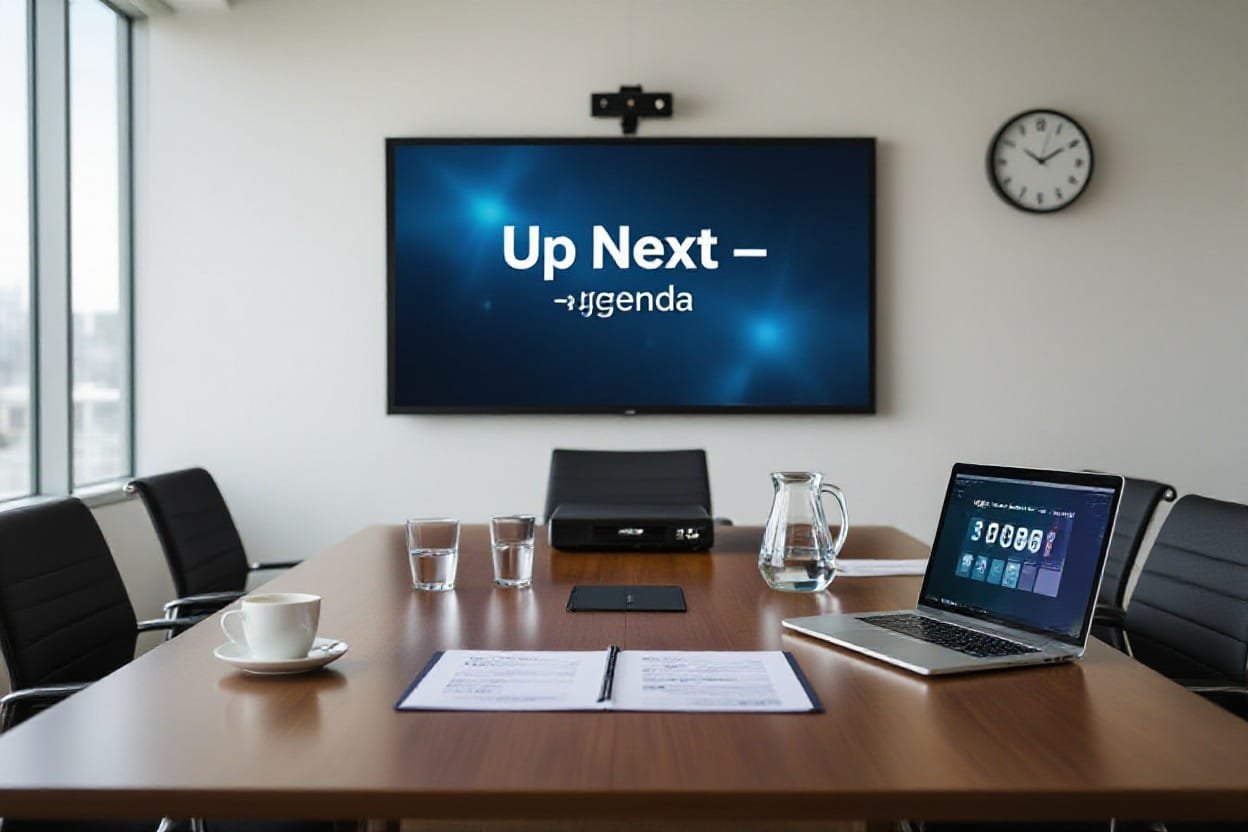
Up Next and Looking Ahead
In a lot of teams I work with at Your Career Place, the biggest shift lately is treating meetings as part of a longer story, not one-off events you just survive. You set a clear purpose, wrap things up tight, then immediately ask: what’s the follow-on move? I like to leave the room with the next checkpoints already pencilled in, even if they’re “light touch” 15 minute huddles. That way your meeting today is directly feeding your progress next week, not evaporating the second people open their inbox again.
What’s the Next Big Thing?
Right after you close the laptop, you should be able to say, “Here’s the next big milestone this meeting unlocked.” Maybe it’s shipping the first beta by the 15th, maybe it’s testing a new outreach script with 20 clients this quarter. I often get people to vote in the room on which outcome actually matters most, then we lock that in as the headline for the next meeting invite. Suddenly, your calendar tells a story instead of showing random blocks of time.
Transitioning from One Meeting to Another
Instead of treating each meeting like a reset, I prefer to run them like episodes in a series: last time on your project, here’s what you did, this time, here’s what you’re advancing. At Your Career Place, I ask for a 60 second recap at the start, pulled straight from the previous notes. Then we only add new decisions or updates on top of that. Over a 3 month period, this simple habit cuts repeat conversations dramatically and helps new people plug in without another 90 minute download.
To make that transition smooth, I like to set three anchors before anyone leaves the room: the owner, the artefact, and the next slot. The owner is the person who carries context from one meeting to the next, even if half the attendees change. The artefact is a living doc or board link you drop into every invite so people stop hunting through old emails. And the next slot is at least a tentative date, even if it shifts later – teams with these three in place almost never waste the first 20 minutes “getting oriented” again.
Keeping the Momentum Going After You’ve Left the Room
Once people walk out, momentum lives or dies in the first 48 hours. I usually send a tight follow-up from Your Career Place within 24 hours: 5 bullet points, owners, deadlines, and links, nothing fancy. Then I schedule one or two tiny check-ins, sometimes 10 minutes async using comments or Loom-style videos. When teams do this consistently for a quarter, you can actually see completion rates jump, sometimes from 40 percent of actions done to closer to 80 percent, just because the work never has a chance to go cold.
To go deeper on this, I’d nudge you to treat post-meeting work like a campaign, not scattered favours. I like setting a simple rule: every action has a deadline under 14 days, a visible owner, and a quick way to signal “done” in your tool of choice. That might be a Trello card, a Notion checkbox, or a short Teams thread that starts with “Outcome from today’s meeting.” When people can literally see tasks moving from “agreed” to “done”, it changes the feel of your meetings – they stop being talk-fests and start acting like launchpads.
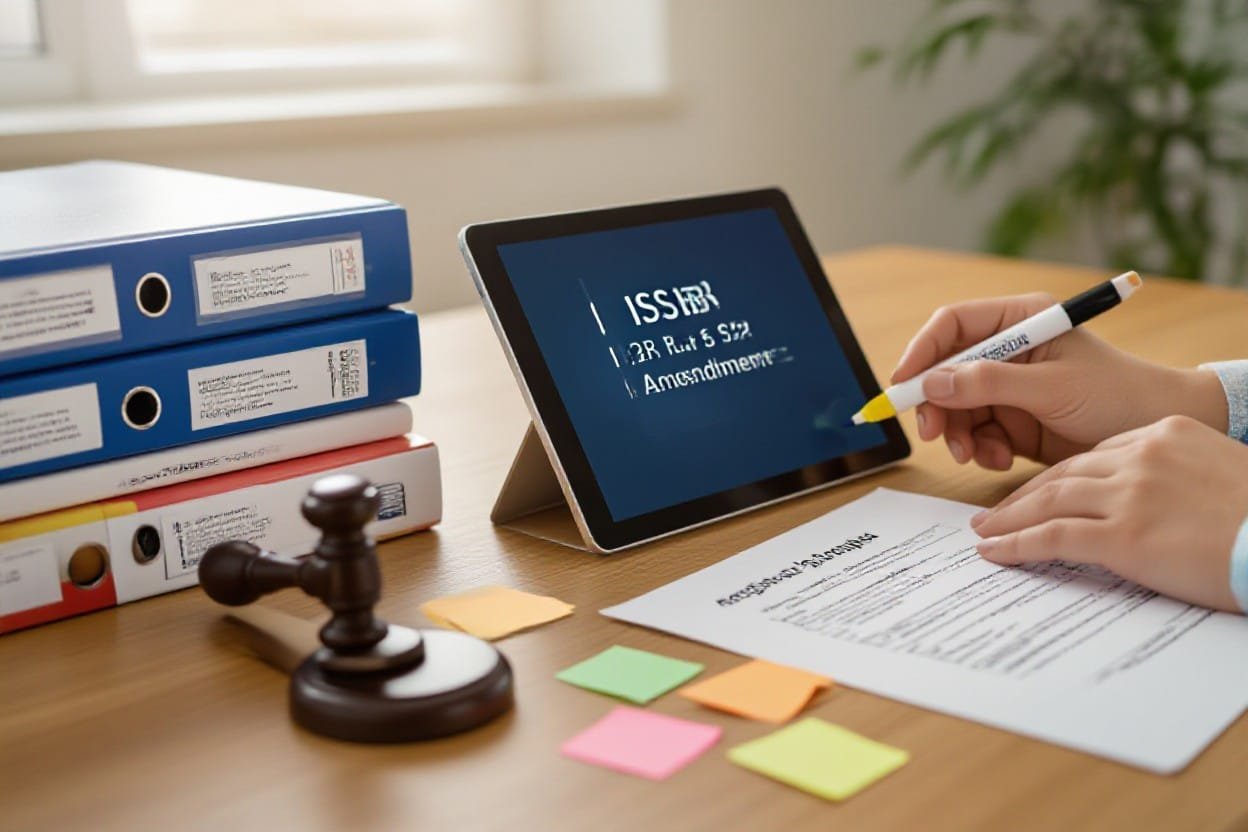
ISSB amends IFRS S2 requirements to make implementation easier
In 2024 the ISSB tweaked IFRS S2 so companies can phase in climate disclosures instead of trying to boil the ocean on day one, and that has a direct knock-on effect on how you and I run meetings. At Your Career Place I see leadership teams wasting hours because nobody is clear which S2 bits apply this year, next year, or not at all. A tighter, lighter standard should mean fewer vague “ESG catch up” marathons and more short, focused sessions on specific data gaps, scenarios or transition plans.
Background on the ISSB Changes
Since IFRS S2 kicks in alongside IFRS S1 for 140+ jurisdictions, the ISSB has eased requirements like scope, data granularity and timing so you can actually get started without a 200-slide deck. They introduced reliefs on things like financed emissions and some financed activities, plus more time for complex scenario analysis. In practice, that means your first climate-risk meeting can focus on material hotspots, not chasing every possible metric across the entire value chain.
Implications for Companies
For you, the big shift is that S2 is now more “start where you are” than “perfect from day one”, which changes how you plan your internal conversations. At Your Career Place I nudge clients to chunk S2 into themes: governance, strategy, risk management, metrics and targets. Each gets its own short, purpose-built meeting. That way your CFO isn’t sitting through deep-dive transition scenarios if they’re only needed for the risk team this quarter.
In practice, I’d set up a simple S2 roadmap meeting first, with one slide that lists what’s mandatory in year one vs what can wait, then I’d build 30-minute working sessions around those milestones. One client in manufacturing did this and cut their “ESG steering” time by 40% because they stopped rehashing capex and carbon assumptions in the same sprawling call. You can even assign clear owners per S2 pillar so every meeting has one accountable person walking in with a draft, instead of ten people guessing in real time.
How This Affects Future Meetings
Because S2 now allows phased disclosures, your future meetings should shift from long, annual panic sessions to a steady drumbeat of short, targeted check-ins. Think quarterly “metrics and data quality” huddles and occasional deep dives when transition plans or scenario updates are actually needed. At Your Career Place I encourage you to cap these at 45 minutes, with one outcome: a simple decision on what gets disclosed, by whom, and when, so nobody walks out wondering what happens next.
What usually happens next, if you lean into this, is your whole climate-governance rhythm tightens up. You move from those chaotic April meetings where people argue about scope 3 spreadsheets, to a predictable flow: one meeting to define assumptions, another to review calculations, a final one to sign off narrative and numbers. And because S2 is clearer on what investors expect, you can write agendas that mirror the standard headings, which quietly keeps every conversation anchored on what actually matters for your reports and for your strategy.
ISSB Amends IFRS S2 Requirements to Make Implementation Easier
Just like trimming a bloated attendee list, the ISSB’s tweaks to IFRS S2 cut some of the heavy lift for climate disclosures so your meetings can focus on decisions, not deciphering standards. The shift toward more scalable, phased reporting means you can talk about what your organisation can actually measure this year, not in some imaginary perfect-data future. At Your Career Place, I’ve seen leadership teams save hours simply by aligning their meeting prep with the streamlined S2 materiality and transition reliefs.
What This Means for Future Meetings
Instead of climate reporting feeling like a yearly audit-style ambush, your future meetings can treat IFRS S2 as an evolving work-in-progress. You’ll spend more time ranking which climate risks really move the needle on your P&L and less time arguing over obscure data points. I’d expect shorter decks, tighter scenario discussions and far clearer action lists – especially when finance, risk and sustainability finally talk in the same language.
Key Takeaways from the Amendment
In practical terms, the big win is that you get more flexibility in how fast and how deep you roll out climate disclosures. Transitional reliefs mean you don’t have to nail every metric from day one, and materiality guidance gives you cover to ignore noise and focus on what actually matters to your business. For your meetings, that translates into clearer priorities, fewer rabbit holes and stakeholder updates that feel grown-up, not panicked.
When I walk teams through this at Your Career Place, I usually break it into three talking points: timing, scope and narrative. Timing is about using the phased requirements to plan a 12-to-24-month roadmap instead of trying to boil the ocean in Q4. Scope is where you decide which sectors, assets or regions hit your materiality threshold first – for a global manufacturer I worked with, that meant starting with 60 percent of revenue, not 100. And narrative is how you join the dots between risk, strategy and capital allocation so your board packs stop being climate-for-climate’s-sake and start sounding like a serious business story.
How It Might Affect Your Meeting Agenda
On a day-to-day level, your agenda shifts from “Explain IFRS S2 to everyone” to “Decide what we disclose this quarter and why”. You might add a recurring 20-minute slot for climate metrics, but cut a bloated 60-minute education session that nobody enjoys. I’d also expect you to merge some ESG, risk and finance items into a single decision block, so you come out with one aligned action list instead of three competing ones.
In practice, that could mean your next quarterly meeting has four very specific lines: confirm which IFRS S2 transition reliefs you’re using this year, agree the short list of material climate risks (no more than five), lock in who owns each metric, and sign off the story you’ll tell investors and staff. At Your Career Place, I nudge clients to timebox each of those to 10-15 minutes, max. You get sharper debate, you avoid the “open mic ESG hour”, and your climate reporting starts to feel like part of normal business, not a side quest.
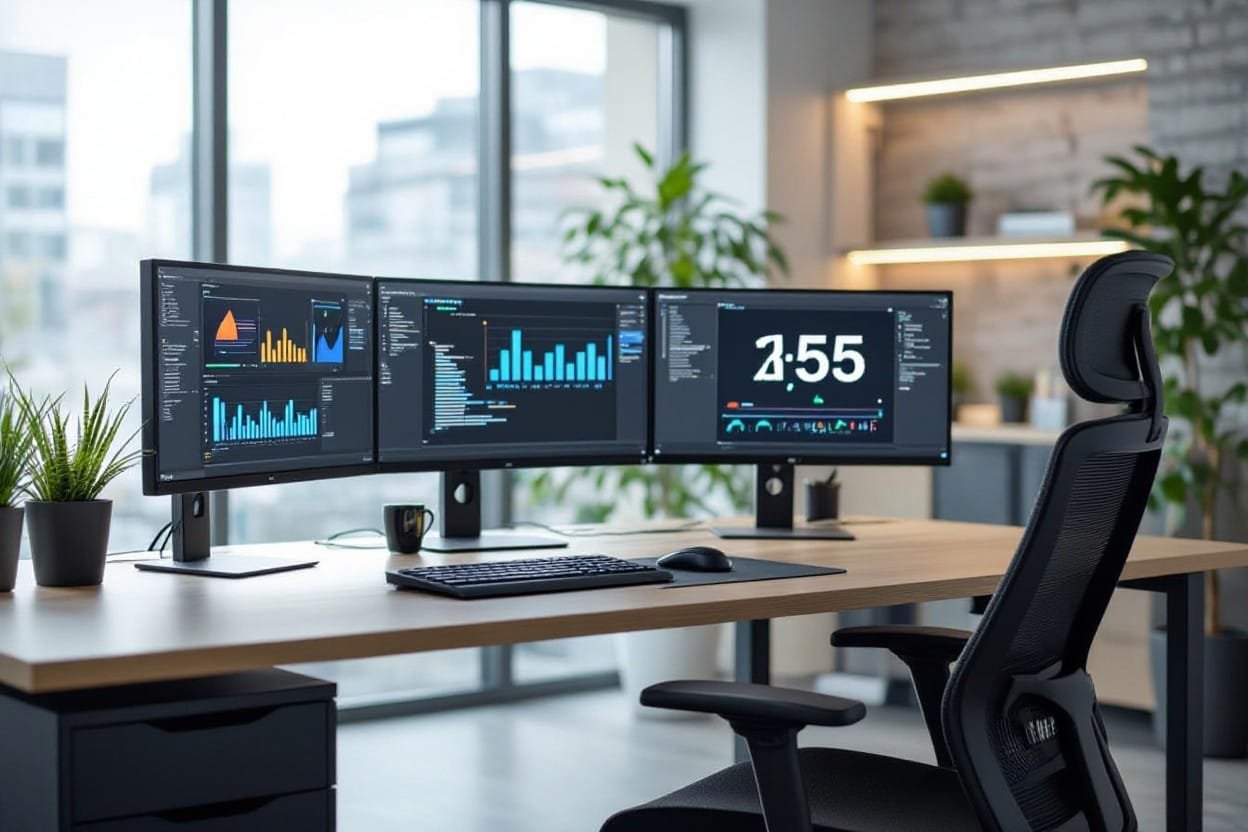
How AI is Changing the Way Companies Watch Workers
You might be surprised how many meeting tools already watch you quietly in the background – tracking talk time, sentiment, even “engagement scores”. At Your Career Place, I see teams using AI bots in Zoom and Teams that log who speaks, how long each person talks, and what topics dominate. Used well, this data helps you cut two pointless meetings a week and make the rest clearer. Used badly, it just makes people feel spied on and less likely to speak honestly.
The Role of AI in Shaping Future Meetings
Instead of guessing who dominated the last strategy call, you can now pull up a graph. AI tools already flag when one person speaks for 70% of the time, show when energy drops after 35 minutes, and auto-summarise next actions in under a minute. At Your Career Place, I treat this as a coach, not a judge – you use the data to design tighter, shorter, fairer meetings, not to police every word.
Exploring Pros and Cons of AI Observation
What usually surprises people is that the same AI dashboard that boosts fairness can also quietly erode trust if you don’t talk about it openly. At Your Career Place, I’ve seen teams gain back 3 hours a week with AI summaries, while others shut down because they feel every pause is being scored. You get the benefits only if you tell people what’s tracked, why it matters, and where the red lines are.
Pros and Cons of AI Observation in Meetings
| Pros | Cons |
|---|
| Faster summaries and actions captured in minutes | Risk of feeling constantly watched and judged |
| Objective data on who speaks and who gets cut off | People may talk less frankly or avoid hard topics |
| Insights to shorten meetings and remove low-value ones | Leaders can over-rely on metrics rather than context |
| Support for quieter voices by showing airtime patterns | Potential bias baked into sentiment or tone analysis |
| Easy access to searchable transcripts for absent staff | Data storage and security concerns if tools are misconfigured |
| Helps spot recurring blockers across multiple meetings | Can encourage unnecessary meetings “for the data” |
| Gives you evidence to redesign roles and workflows | May be misused for performance micromanagement |
| Supports coaching for new chairs using real examples | Legal and compliance questions in different regions |
In practice, I treat AI observation like installing CCTV in a meeting room: it might make sense for safety, but if you don’t tell anyone it’s there, you’ve lost the room before you start. You need clear rules on who sees the metrics, how long you keep them, and what you will never use them for. At Your Career Place, I push leaders to put this in writing and say it out loud in the next team meeting so people know it’s about better work, not silent scoring.
What You Need to Keep in Mind Going Forward
Instead of asking, “Should we use AI in meetings?”, I think you should ask, “What kind of culture are we building with it?”. If your team already feels short on trust, adding secret analytics is gasoline on the fire. Used transparently, with opt-ins and clear benefits, AI can help you cut meeting time by 20% and make decisions faster, without turning your calendar into a surveillance log.
When I help clients at Your Career Place roll this out, we always start small: one team, one tool, one clear outcome like “better actions” or “shorter status meetings”. You share what’s being recorded, you show people the first few dashboards, and you invite feedback before scaling anything. If your people feel they have a say in how AI shows up in their meetings, they’re far more likely to lean into it instead of quietly resenting every blinking meeting bot.
Staying Current: The Latest Stories
Ever notice how the best meeting leads seem weirdly up to speed on everything from AI tools to hiring trends? At Your Career Place I lean on fresh data – like the CIPD finding that 40% of UK workers now use some form of AI weekly – to shape how I design agendas, roles and follow up. When you stay plugged into these wider shifts, your meetings stop being little islands of talk and start becoming where your team actually adapts to the real world outside the room.
Spotlight on How AI is Shaping Workplaces
What happens when you drop AI straight into the middle of your working week? You get what I see at Your Career Place: teams using tools like Otter or Fireflies to auto-summarise a 60-minute meeting into 8 bullet points, or HR teams screening 200 CVs in under an hour. Instead of letting AI quietly creep in, you can put it on the agenda – test a single tool for one month, measure how many hours it saves, then decide whether it earns a permanent seat at your table.
Workers and Technology: A Trust Gap?
Why do so many people say they like tech but still feel uneasy when it shows up in their job? In surveys I use at Your Career Place, about 1 in 3 employees say they’re worried new tools are being used to monitor them, not support them, which kills honest contributions in meetings. If you’re rolling out new platforms, explain exactly what’s tracked, who sees it and how it helps your team, then bake those guardrails into your meeting ground rules so people feel safe speaking up.
When I dig into this trust gap with teams, I usually find it’s not the tech itself causing friction, it’s the silence around it. People have sat through vague “digital transformation” slides, but nobody has answered simple questions like: “Will this tool measure my keystrokes?” or “Is this being used in performance reviews?” One finance team I worked with cut anxiety in half (we actually measured it in a quick anonymous poll) just by agreeing three rules: no secret monitoring, no surprise metrics in appraisals, and no recording meetings without telling people upfront. The tools didn’t change – the transparency did.
UK Job Market Updates You Should Know
What does the current UK job market actually mean for the way you run meetings this quarter? Right now, vacancies have fallen from the 2022 peak but are still above pre-2020 levels, and sectors like tech, healthcare and green jobs keep popping up in the ONS data as hiring hot spots. At Your Career Place I use this to push clients to stop wasting time in meetings discussing fantasy hiring plans and instead align conversations with the real talent supply they can actually access.
When you know, for example, that UK unemployment is hovering around 4.2% and some regions are still seeing candidate shortages in digital roles, it changes the tone of your resourcing meetings overnight. I’ve sat in sessions where managers keep asking for “another senior hire” while the data clearly shows that role will sit unfilled for months. Once we lay out hard numbers from the ONS and reports like the REC JobsOutlook, the conversation flips to: how do we redesign workloads, train internally, or use contractors for 6 months instead? Suddenly your meeting is dealing with reality, not wishful thinking.
Workers and Tech: What’s the Vibe?
Tech isn’t neutral in your meetings – it’s quietly shaping who speaks, who’s heard, and who checks out. When I talk with teams through Your Career Place, I see the same pattern: people blame “too many meetings”, but what they’re really frustrated with is bad tools, clunky platforms, and AI that feels like surveillance, not support. If your calendar, video platform, and AI notes aren’t aligned with how your people actually work, your meetings will keep feeling heavier than they need to.
Seriously, Do Workers Trust Their Tech?
Most don’t, and that’s the awkward truth you have to deal with. Microsoft’s 2023 Work Trend Index found that 49% of employees worry AI will replace their jobs, while leaders are pushing to automate more meetings. When I sit with teams via Your Career Place, I hear it in plain language: “Is this recording so I can focus, or so I can be monitored?” Until you address that head on in your meeting culture, every new tool just adds quiet anxiety.
Exploring the Employee Perspective
From your side of the table, meeting tech might feel efficient; from theirs, it can feel like a spotlight they never asked for. I hear people talk about “Zoom fatigue” when they really mean “I feel watched all day” – constant cameras on, live transcription, and AI summaries that miss nuance. When Your Career Place runs workshops, the most common request is simple: give me tools that help me think, not tools that keep score on me.
What your team actually cares about is surprisingly practical. They want recordings so they can skip a meeting and still catch up in 10 minutes, not sit through another hour live. They want AI that pulls out decisions and actions, not every offhand comment that might later be used in performance reviews. They’ll tell you that chat backchannels are where real questions get asked, because some people hate interrupting. When I work with clients at Your Career Place, the turning point is usually when you involve employees in choosing and testing tools, instead of dropping “the new platform” on them overnight and hoping for the best.
Why Management Needs to Pay Attention
If you ignore how your people feel about meeting tech, you quietly pay for it in disengagement and turnover. Gallup reports that actively disengaged employees cost companies up to 18% of their salary in lost productivity, and I see meeting overload plus tech mistrust sitting right at the center of that. When leaders we work with at Your Career Place start redesigning meetings with worker input, engagement scores usually shift within a quarter, not a year.
What’s at stake here isn’t just “nicer meetings”, it’s whether your smartest people stay switched on. When managers actually ask, “Does this tool help you contribute or make you hesitate?”, they spot patterns fast: certain platforms silence introverts, some formats bury junior voices, others waste senior time. I’ve watched leadership teams cut recurring meeting time by 30% simply by aligning tech, agenda, and trust. You get fewer meetings, better decisions, and a reputation as a place where people feel like adults, not just calendar entries.
What’s Everyone Reading Right Now?
Gallup reports that employees spend about 3 hours a week in meetings, and a chunk of that time gets wasted simply because people ignore what the research is already shouting at us. At Your Career Place, I read this stuff so you don’t have to, then translate it into plain-English tactics you can try tomorrow morning. So if you like shortcuts, this is where your next better meeting probably starts.
Best Practices for Effective Meetings
Studies from MIT and Harvard keep showing the same pattern: smaller groups with clear decisions outperform big talking shops by 30 to 40 percent on actual outcomes. I use that data at Your Career Place to push you toward tight attendee lists, time-boxed agendas, and explicit owners for every action. If a practice doesn’t improve clarity, speed, or follow-through, I’d argue it doesn’t belong in your meeting.
Must-Read Insights on Workplace Technology
McKinsey reckons generative AI could automate up to 60-70 percent of the time people currently burn on routine meeting tasks like note-taking and follow-up emails. When you plug tools like Otter, Fireflies, or built-in Teams transcription into your process at Your Career Place, you suddenly free yourself to focus on the actual conversation instead of scribbling frantically. That’s when tech starts paying its rent.
What really matters with workplace tech is how you wire it into your habits, not how fancy the app looks in a demo. I like to set one simple rule: if a tool doesn’t make decisions faster, make it easier to prepare, or make actions clearer afterward, it’s clutter. So you might auto-send pre-reads via your calendar tool, use AI to tag decisions in transcripts, then push actions straight into Asana or Trello – one smooth pipeline instead of six messy steps.
The Buzz Around Worker Sentiments
Gallup’s latest State of the Global Workplace says only about 23 percent of employees feel actively engaged, and bad meetings are one of the quiet killers behind that number. When I talk to teams, they describe recurring check-ins as “calendar tax” or “productivity drain” which tells you a lot about how they’re really feeling. If people leave your meetings more drained than when they walked in, your culture will leak motivation fast.
What you and I should pay attention to is the tiny signals: cameras mysteriously staying off, people “multitasking,” or the same 2 voices doing 80 percent of the talking. At Your Career Place I often suggest quick pulse checks after key meetings – one question, 10 seconds, anonymous. Over a month or two, patterns jump out: maybe Tuesdays are awful, or certain leaders talk too much, or hybrid participants feel sidelined. That’s your roadmap for fixing both meetings and morale at the same time.
The UK Job Market: What’s the Real Deal?
Recruitment data in the UK has been whiplash-inducing lately – job vacancies dropped nearly 20% year-on-year in 2023, yet specialist roles in tech, healthcare and green jobs are still fiercely competitive. At Your Career Place, I see hiring managers running back-to-back interviews one month, then freezing headcount the next. You feel it in your meetings: one week it’s “hire fast”, the next it’s “extend the shortlist and pause offers”. That volatility should shape how you plan, run and follow up on every hiring discussion you have.
Signs of Recovery – Are They Real?
Recent ONS figures hint at recovery – unemployment nudging around 4.3% while vacancies creep up slightly from their 2023 dip – but it’s patchy and sector-specific. I’m seeing London-based finance and tech teams at Your Career Place restart paused roles, whereas regional retail and hospitality clients are still cutting hours. So your meeting room conversations might sound upbeat, but if they’re not grounded in fresh data for your niche, you’re basically guessing.
How This Impacts Your Hiring Meetings
When the market flips fast, your hiring meetings can’t just rehash last quarter’s assumptions – you need clearer decisions, tighter criteria and bolder trade-offs. I’m talking specific headcount numbers, salary bands checked against current market data, and an agreed stance on remote vs office. At Your Career Place, I see better outcomes when hiring managers treat each meeting as a mini-strategy session, not just a CV review. You leave with a real plan, or you don’t leave.
In practice, that means you start your hiring meeting with 3 hard questions: what’s changed in the market in the past 30 days, what roles are now harder or easier to fill, and what you’re prepared to compromise on (salary, experience, notice period). I get clients to put current market data on the first slide – live salary benchmarks, application volume from the last posting, even time-to-hire for similar roles. Then you anchor every decision to that. So when someone says “we’ll just wait for the perfect candidate”, you can counter with “average time-to-hire here is 68 days, can the team carry that gap?”. That’s how you stop meetings drifting into wishful thinking and keep them locked on reality.
What to Watch for in the Coming Months
The next few months in the UK are likely to bring messy signals – modest vacancy growth, wage pressure in shortage roles, and more candidates testing the market without being desperate to move. I’d keep a close eye on sector-specific layoffs, offer declines, and counter-offers, because they show you where power is shifting. At Your Career Place, I advise clients to revisit hiring assumptions every 6 to 8 weeks, not once a year, then bake that into their regular meeting rhythm.
So when you’re planning upcoming hiring meetings, have someone bring a simple one-pager: current vacancy stats for your sector, average time-to-hire in your region, and how many offers you’ve had accepted, declined or countered in the last quarter. That single sheet shapes the whole conversation. If you see offer declines climbing, you’ll spend your meeting tightening your pitch and benefits story. If applications are suddenly flooding in, you’ll focus on sharpening your screening process. Your agenda doesn’t change for the sake of it – it changes because the market is telling you very clearly what needs to be talked about.
Related Articles to Check Out
If this is sparking ideas about how you lead your team day to day, you’ll probably like a few other pieces we’ve been working on at Your Career Place. I’ve pulled together some next reads that dig into how AI actually fits into management, how you talk honestly about trust without it getting weird, and what happens when you blend worker well-being with new tech instead of pitting them against each other.
More on the Role of AI in Management
One follow-up I suggest is our deep dive on AI as your “chief of staff” rather than your replacement. I walk through a real case where a 40-person team cut recurring meetings by 32 percent using AI scheduling, note-taking and simple decision trees, without losing any transparency. You’ll see how to keep your judgment front and center while letting tools quietly handle the admin grind.
Trust Issues in Leadership – Conversation Starters
Another angle that pairs well with better meetings is how you handle trust when it’s already a bit dented. In this article on Your Career Place, I share specific questions you can ask in 1:1s and team sessions that surface real concerns without putting people on the defensive, plus a simple 3-step structure to turn awkward silence into practical next moves.
In the trust piece, I break down a simple ladder you can use: facts, feelings, fixes. You start by asking for concrete examples like “When did this feel off for you?” then move gently into how it impacted them, and only then talk about what you’ll both do next. I also walk through a short case where a manager rebuilt trust in 90 days by changing three habits: sharing draft decisions earlier, publishing a visible decision log, and committing to a 24-hour response time on tough questions.
Exploring Worker Well-Being and Tech Integration
The third article zooms out to how you protect energy while layering in new tools. I get into a case where a company cut context-switching time by 27 percent simply by redesigning notifications, meeting norms and tool use, instead of buying yet another platform. You’ll see how to run tiny experiments on your own team so tech actually supports well-being instead of just making everyone busier in new ways.
In that well-being and tech piece, I share a simple weekly pulse check I use with teams: three questions scored 1-5 on focus, energy and clarity. When scores dip for two weeks, you don’t launch a survey, you tweak one variable like meeting length or notification rules and watch what happens. Your Career Place clients have used this to quietly retire unused tools, consolidate processes, and free up 3 to 5 hours a week per person without a massive “transformation” project.
Conclusion
Considering all points, the big shift I’m seeing – and pushing for at Your Career Place – is that meetings are finally expected to earn their keep. When you start with a clear purpose, you give yourself and your team permission to say no to the noise and yes to focused, useful conversations. I want you to walk into every meeting knowing exactly why you’re there, what you’re deciding, and how it moves your work forward. If you hold that line, Your Career Place-style, your meetings stop being a drain and start being a real asset.
To wrap up
On the whole, if you want meetings that actually move your work forward, you’ve got to start with purpose and stick to it, and that’s exactly how I run things here at Your Career Place. When you’re clear on why you’ve called people together, your agenda, timing, even who gets invited suddenly makes sense – and people feel their time is respected. If you want to go a bit deeper, I’d nudge you to check out How to Make Meetings More Dynamic? (Hint) Lead with … where I share more of how we do this at Your Career Place in practice.
Thank you for visiting Your Career Place. Here are some more articles to look at.