
AI Automation in 2026
The Small Business Workflow Revolution You Can’t Afford to Miss
From Zapier AI Agents to agentic platforms, the way small businesses run their operations is changing fast — here’s what you need to know.
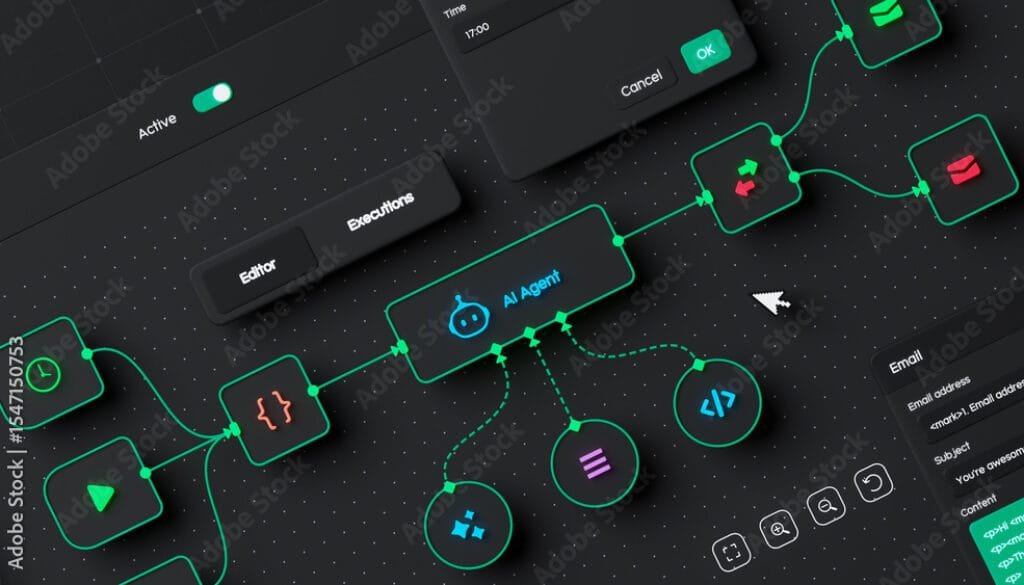
AI automation workflow platforms now feature visual dashboards that let small business owners build complex, multi-step automations without writing a single line of code. (Source: Adobe Stock)
If you’ve been running a small business for any length of time, you know the feeling: there are never enough hours in the day. You’re answering emails, chasing invoices, posting on social media, following up with leads, and somehow trying to actually run your business at the same time. It’s exhausting — and it’s exactly the problem that AI automation was built to solve.
Here at Your Career Place, we keep a close eye on the tools and trends that actually matter for small business owners. And right now, in mid-2026, AI-powered workflow automation is the single biggest opportunity most small businesses are leaving on the table. The technology has matured dramatically, the price points have dropped, and the results — for those who’ve jumped in — are genuinely impressive.
But like any powerful tool, it comes with real trade-offs. So let’s break it all down: what’s new, what it means for your business, and what you should be cautious about.
What’s Actually Happening in AI Automation Right Now
The biggest shift in 2026 is the move from simple, rule-based automation to what the industry calls agentic AI. In plain English: instead of just doing one thing when triggered (like sending an email when a form is filled out), today’s AI automation tools can reason, plan, and execute entire multi-step workflows on their own — across different apps and platforms — without you having to map out every single step.
Think of it like the difference between a vending machine and a personal assistant. Old automation was the vending machine: press a button, get a result. New agentic AI is more like a capable assistant who understands your goal and figures out the steps to get there.
Here’s what the major platforms have been up to:
- Zapier — the most popular no-code automation tool — launched Zapier Agents for autonomous task execution and an AI Copilot that lets you describe a workflow in plain English and have it built for you. They also introduced AI Guardrails to detect and redact sensitive data inside workflows, which is a big deal for privacy-conscious business owners.
- Make.com (formerly Integromat) rolled out Make AI Agents and integrated smart “model routing” — meaning it automatically uses cheaper AI models for simple tasks and more powerful ones for complex reasoning, keeping your costs in check.
- n8n, the developer-friendly platform, released version 2.0 with enterprise-grade security and a built-in AI Agent node. Its self-hosting option makes it the go-to for businesses that need to keep their data completely in-house.
- Microsoft Power Automate added an Agentic Center of Enablement — essentially an AI-powered governance dashboard for businesses already deep in the Microsoft 365 ecosystem.
What Can You Actually Automate?
This is where it gets practical. The best place to start is with the tasks that are high-volume, repetitive, and don’t require a lot of human judgment. Here are the areas where small businesses are seeing the biggest wins:
- Lead management: Automatically capture leads from your website, qualify them based on their responses, and schedule appointments directly into your calendar — no manual follow-up required.
- Customer service: AI chatbots are now resolving up to 67% of routine customer inquiries without any human involvement. That’s 24/7 coverage without hiring overnight staff.
- Financial admin: Tools like QuickBooks AI can automatically categorize transactions, process invoices, and flag anomalies — cutting hours of bookkeeping down to minutes.
- Content and marketing: Draft social media posts, email newsletters, and ad copy automatically, keeping your marketing consistent even during your busiest weeks.
- Meeting notes: Tools like Fireflies.ai automatically transcribe meetings and extract action items, so nothing falls through the cracks.

Small business owners are increasingly turning to AI automation tools to handle repetitive tasks, freeing up time for higher-value work. (Source: Billdu)
How to Get Started (Without Getting Overwhelmed)
The biggest mistake small business owners make with AI automation is trying to do too much at once. Experts — and the data — consistently point to a phased approach:
- Pick one problem. Don’t try to automate your entire business. Start with a single, high-impact, low-complexity process — like responding to after-hours inquiries or sending follow-up emails to new leads.
- Clean up the process first. Automating a broken workflow just makes the broken parts happen faster. Map out what you’re doing manually, simplify it, then automate it.
- Use free tiers to test. Zapier, Make.com, and n8n all have free or low-cost entry points. A good rule of thumb: if the tool saves you time worth 3x its monthly cost, it’s worth keeping.
- Measure everything. Track time saved, error rates, and revenue impact. Once you’ve proven ROI on one workflow, expand to the next.
At Your Career Place, we always tell people: you don’t need to become an AI expert. You just need to be willing to experiment with one small thing and see what happens.
🌟 Boomer’s Perspective: “This Is the Opportunity of a Lifetime for Small Business”
Let’s be honest — for most of the history of small business, the big guys had all the advantages. They had the staff, the systems, the budgets. A small retailer or a two-person consulting firm couldn’t afford a dedicated marketing team, a 24/7 customer service operation, or a data analyst. That’s just the reality we lived with.
But AI automation is changing that equation in a fundamental way. For the first time, a solo founder or a five-person team can deploy the same kind of operational sophistication that used to require a department. A bakery can have an AI that handles online orders, sends personalized follow-up messages, and posts to Instagram — all while the owner is in the kitchen doing what they love.
The numbers back this up. Ninety-one percent of small businesses using AI report revenue growth. Businesses are saving 5 to 15 hours a week just on marketing tasks. Some are seeing a 250% return on investment within 18 months. These aren’t Silicon Valley unicorns — these are regular small businesses that decided to try something new.
And the tools have never been more accessible. You don’t need to know how to code. You don’t need a big IT budget. Platforms like Zapier and Make.com are designed for regular people, and their free tiers let you get started with zero financial risk. The barrier to entry has essentially collapsed.
Here at Your Career Place, we see this as one of the most exciting moments in the history of small business. The playing field is leveling. The question isn’t whether AI automation will transform your industry — it’s whether you’ll be one of the businesses leading that transformation, or one of the ones scrambling to catch up.
“AI automation is the great equalizer. For the first time, small businesses can operate with the efficiency and sophistication of companies ten times their size.”
⚠️ Doomer’s Perspective: “Slow Down — There Are Real Risks Here”
Before you hand your entire business over to a robot, let’s talk about what the enthusiasts tend to gloss over. Because AI automation, for all its promise, comes with a set of risks that can genuinely hurt a small business if you’re not careful.
The pricing trap is real. Many automation platforms charge per “task” or “operation.” A workflow that seems simple can trigger dozens of billable actions behind the scenes, and your monthly bill can balloon in ways you didn’t anticipate. We’ve seen small business owners sign up for a tool expecting to pay $50 a month and end up with a $500 invoice. Always model your costs before you scale.
Your data might not be as safe as you think. When you feed customer information, financial data, or proprietary business details into a cloud-based AI tool, where does that data go? Some platforms use your inputs to train their models. Others store your data in ways that may not comply with privacy regulations like GDPR. Over 70% of organizations cite data privacy as a top concern with AI — and for good reason. If you’re handling sensitive customer data, you need to read the fine print very carefully.
Automation bias is a sneaky danger. This is the tendency to trust AI outputs without questioning them. When your AI is generating customer emails, categorizing transactions, or qualifying leads, it will make mistakes. If no one is checking its work, those mistakes compound. A misclassified expense here, a tone-deaf customer email there — small errors can add up to real damage to your reputation and your books.
And yes, jobs are changing. The honest truth is that AI automation does eliminate certain roles — particularly administrative and data-entry positions. For a small business owner, that might sound like good news (lower payroll!), but it also means your team needs to adapt. Employees who feel threatened by AI tend to resist it, and a resistant team can undermine even the best automation strategy.
At Your Career Place, we believe in being straight with you: AI automation is powerful, but it’s not magic. It requires oversight, governance, and a healthy dose of skepticism. The businesses that will thrive are the ones that treat AI as a tool to be managed — not a solution that runs itself.
“The biggest risk isn’t that AI will take over your business. It’s that you’ll trust it too much, too fast, without the guardrails to catch its mistakes.”

AI automation is increasingly capable of handling complex, multi-step business tasks — but human oversight remains essential. (Source: Ars Technica)
🔑 Key Takeaways for Small Business Owners
- The technology is ready. Agentic AI platforms like Zapier, Make.com, and n8n can now automate entire workflows — not just single tasks — and they’re designed for non-technical users.
- Start small and prove ROI. Pick one high-impact, repetitive process, automate it, measure the results, and expand from there. Don’t try to boil the ocean.
- The best targets: Lead management, customer service FAQs, invoice processing, social media posting, and meeting transcription are all high-ROI starting points.
- Watch your costs. Usage-based pricing can surprise you. Model your expected workflow volume before committing to a paid plan.
- Protect your data. Read the privacy policies of any AI tool you use. For sensitive data, consider self-hosted options like n8n or enterprise-grade platforms with clear data governance.
- Keep humans in the loop. For anything customer-facing or financially significant, always have a human review AI-generated outputs before they go live.
- Train your team. The businesses winning with AI aren’t replacing their people — they’re turning them into AI orchestrators who manage and improve automated systems.
The Bottom Line
AI workflow automation in 2026 is not a future trend — it’s a present reality that’s already reshaping how small businesses compete. The gap between businesses that adopt it thoughtfully and those that ignore it (or rush in without a plan) is going to widen fast.
The good news? You don’t need to be a tech wizard to get started. You just need to be willing to identify one problem, try one tool, and measure what happens. That’s how every successful AI automation story starts — not with a grand transformation, but with a single workflow that saves a few hours a week.
At Your Career Place, we’re here to help you navigate these changes with clear, practical, no-hype guidance. Whether you’re just starting to explore AI tools or you’re ready to build your first automated workflow, we’ve got you covered. Stay curious, stay cautious, and keep building.
Published by Your Career Place | yourcareerplace.com | This article is for informational purposes only. Always evaluate AI tools based on your specific business needs and consult appropriate professionals for legal, financial, or data privacy questions.