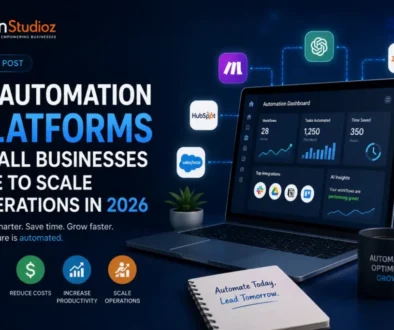

AI — Are You Using It Right?
AI Productivity: Your Business Suite Already Has AI — Are You Using It Right?
Here at Your Career Place, we talk to small business owners every week who are either overwhelmed by AI hype or quietly wondering if they’re falling behind. The truth in mid-2026 is somewhere in the middle — and it’s more practical than the headlines suggest.
This week, we’re diving into the AI productivity landscape for small businesses: what’s actually new, which tools are worth your attention, and what the optimists and the skeptics are each getting right. As always, we’ll give you Boomer’s take (the glass-half-full view) and Doomer’s take (the “wait, hold on” view) — because both perspectives matter when you’re running a real business with real money on the line.
What’s Actually New in AI Productivity for 2026?
The biggest story isn’t a flashy new app — it’s that AI has quietly moved from “optional add-on” to “built-in feature” across the platforms most small businesses already use. Here’s the quick rundown:
- Microsoft 365 Copilot is now embedded across Word, Excel, Outlook, and Teams. Microsoft’s Business Standard plan with Copilot runs about $23.50 per user per month (annual billing). Their new “Work IQ” system gives Copilot context from your emails, documents, and meetings — so it can actually help you find that proposal you sent three months ago or summarize last week’s client call.
- Google Workspace with Gemini has retired its separate AI add-on and folded Gemini directly into Business and Enterprise plans. Depending on your tier ($7–$22/user/month), you get AI writing help in Gmail and Docs, automatic meeting notes in Google Meet, and research tools through NotebookLM.
- Notion AI now includes an AI agent, meeting notes, and enterprise search in its Business plan (around $20/user/month). It also launched “Custom Agents” — automated workflows that can run recurring tasks inside your Notion workspace, billed at $10 per 1,000 credits.
- ChatGPT for Business ($20/user/month) connects to Microsoft 365, Google Drive, Slack, GitHub, and more — making it a cross-platform assistant for teams that use multiple tools. As of July 2026, advanced agent workflows shifted to token-based pricing, so costs can vary based on usage.
The U.S. Census Bureau reported that about 19.8% of U.S. businesses were using AI as of May 2026 — up from earlier in the year. But the Small Business Administration’s own research found only 8.8% of small businesses were actively using AI in 2025, averaging about two use cases per firm. The gap between those numbers tells you something important: a lot of “AI adoption” is still pretty surface-level.
Three Practical Ways Small Businesses Are Using AI Productivity Tools Right Now
Before we get to the perspectives, let’s ground this in what’s actually working for small businesses in the real world:
1. Meeting Summaries and Action Items
Tools like Fireflies.ai, Otter.ai, and Google Meet’s built-in AI notes are saving small business owners 30–60 minutes per meeting by automatically transcribing conversations and pulling out action items. One consulting firm reportedly cut meeting-minute drafting time by 75% using AI transcription tools. For a team that runs five meetings a week, that adds up fast.
2. Internal Knowledge and Document Search
If your team spends time hunting for old proposals, SOPs, or client notes, tools like Notion AI and Microsoft Copilot’s Work IQ can surface the right document in seconds. This is especially valuable for small businesses where institutional knowledge often lives in one person’s head — or buried in a shared drive nobody’s organized in years.
3. Customer Triage and First Response
AI-assisted customer service workflows are helping small businesses respond faster without hiring more staff. One notable example: Caitlyn Minimalist, a small e-commerce brand, introduced an AI agent for customer support and saw first-response time drop from 61 minutes to 23 seconds, with one-touch ticket resolution increasing by over 300%. (That’s a vendor case study, so take it with appropriate context — but the directional improvement is real.)
🌅 Boomer’s Perspective: “This Is the Moment Small Businesses Have Been Waiting For”
Look, I’ve been running small businesses for a long time, and I’ve watched technology promise to level the playing field over and over again. But this time? I think it’s actually happening.
Here’s what gets me excited: you don’t have to buy anything new. If you’re already paying for Microsoft 365 or Google Workspace, you’ve got AI sitting right there, waiting to be used. That’s a fundamentally different situation than five years ago, when AI tools cost thousands of dollars and required a dedicated IT person to set up.
The productivity gains are real and measurable. Meeting summaries alone can save a small team hours every week. AI-assisted email drafting in Gmail or Outlook means your team spends less time staring at a blank screen and more time actually talking to customers. And tools like Notion AI can turn your scattered internal documents into a searchable knowledge base that actually works.
At Your Career Place, we’ve seen firsthand how small businesses that embrace practical AI tools — not the flashy stuff, just the everyday workflow improvements — start to punch well above their weight. A five-person shop can now handle the communication volume and customer responsiveness of a team twice its size.
The OECD found that AI adoption among businesses rose from 5.6% in 2020 to 14% in 2024 — and it’s accelerating. The businesses that figure this out now will have a real competitive advantage over those that wait. And the best part? The learning curve is getting shorter every month. These tools are designed for regular people, not engineers.
My advice: Pick one workflow that’s eating your time — meetings, email, document search — and spend two weeks letting AI handle the grunt work. You’ll be surprised how quickly it pays off.
⚠️ Doomer’s Perspective: “Bundled Doesn’t Mean Free — Or Safe”
I hear the excitement, and I get it. But let me pump the brakes for a second, because there are some things small business owners need to understand before they start letting AI loose on their company data.
First, “bundled” doesn’t mean you’re not paying for it. When Microsoft or Google includes AI in your subscription, that cost is baked into the plan price — and often, you’re paying for AI access for every single employee, even the ones who’ll never use it. And when you start using “Custom Agents” in Notion or advanced workflows in ChatGPT, you’re moving into metered, usage-based pricing that can surprise you at the end of the month. One small business owner I know got a bill three times what she expected because her team was running automated workflows she didn’t know about.
Second, AI inherits your data permissions. When you connect Copilot or Gemini to your business files, it can access everything those accounts can access. If your file permissions are a mess — and let’s be honest, most small businesses’ shared drives are a mess — you’ve just given AI a window into things you might not want it touching. The FTC has made clear there’s no “AI exemption” from existing privacy and consumer protection laws. If AI generates something misleading in your marketing, that’s still your problem.
Third, AI makes mistakes, and in business, mistakes cost money. The SBA explicitly recommends human review for any AI output that touches financial decisions, legal matters, employment, or customer-facing communications. That’s not a knock on the technology — it’s just reality. An AI that confidently summarizes a contract incorrectly, or drafts an email with the wrong numbers, can create real liability.
At Your Career Place, we always tell people: AI is a powerful assistant, not a replacement for judgment. The OECD found that only about 3.6% of small businesses have truly integrated AI strategically — most are still experimenting with isolated tasks. There’s wisdom in that caution.
My advice: Before you enable AI across your team, do a permissions audit on your shared files, set spending limits on any usage-based features, and establish a clear rule that AI outputs get human review before they go to customers or affect financial decisions.

Choosing the Right AI Productivity Tool for Your Business
The honest answer is: start with what you already have. Here’s a quick guide:
| If you use… | Start with… | Watch out for… |
|---|---|---|
| Microsoft 365 | Copilot (Business Standard, ~$23.50/user/mo) | File permission sprawl; audit before enabling |
| Google Workspace | Gemini (included in Business plans, $7–$22/user/mo) | Feature access varies by tier; check your edition |
| Notion | Notion AI (Business plan, ~$20/user/mo) | Custom Agent credits are metered — set spending limits |
| Multiple platforms | ChatGPT for Business ($20/user/mo) | Advanced agent workflows now token-priced; monitor usage |
| Any platform | Fireflies.ai or Otter.ai for meeting notes | Confirm data retention and privacy terms before use |
The key insight from the research: don’t build an “AI stack.” Pick one primary workspace assistant based on your existing software, automate one measurable bottleneck first, and only add specialist tools when they solve a gap your core platform can’t handle.
A 30-Day Playbook for Small Business AI Productivity
Here’s what the team at Your Career Place recommends for small businesses that want to get started without getting overwhelmed:
- Week 1 — Audit: Identify your single biggest time drain. Is it meetings? Email? Searching for documents? Pick one.
- Week 2 — Pilot: Enable the AI feature in your existing platform that addresses that pain point. Use it consistently for one week.
- Week 3 — Review: Measure the actual time saved. Check for any errors or surprises. Review your file permissions and any usage-based costs.
- Week 4 — Decide: If it’s working, expand to a second use case. If it’s not, adjust or try a different tool. Don’t add more AI until the first use case is genuinely delivering value.
This isn’t glamorous advice. But it’s the approach that actually works — and it’s what separates the small businesses that get real ROI from AI from the ones that end up with a pile of subscriptions and nothing to show for it.
🔑 Key Takeaways
- AI is already in your software. Microsoft 365, Google Workspace, Notion, and ChatGPT for Business all include AI productivity features in 2026 — you may already be paying for them.
- Start with meetings, documents, or customer triage. These are the three areas where small businesses are seeing the most consistent, measurable gains from AI productivity tools.
- Bundled ≠ free. Usage-based features like Custom Agents and advanced workflows can add unexpected costs. Set spending limits and monitor usage.
- AI inherits your data access. Do a file permissions audit before enabling AI across your team — especially if your shared drives are disorganized.
- Human review is non-negotiable for anything financial, legal, or customer-facing. The SBA and FTC both say so, and they’re right.
- Pick one workflow, pilot it, measure it. Don’t try to transform your entire business at once. The 30-day playbook above is your friend.
The Bottom Line
The AI productivity story in 2026 isn’t about a revolutionary new tool you need to rush out and buy. It’s about the quiet revolution that’s already happened inside the software you’re already using — and whether you’re taking advantage of it thoughtfully or just paying for features you’ve never touched.
At Your Career Place, we believe small businesses have a real opportunity here — not to chase every shiny new AI feature, but to pick the right workflows, implement them carefully, and build genuine competitive advantages over time. Boomer’s right that the opportunity is real. Doomer’s right that the risks are real too. The businesses that thrive will be the ones that hold both truths at once.
What AI productivity tool are you using in your small business right now — or thinking about trying? We’d love to hear from you in the comments below.
Want more practical AI insights for your small business? Visit Your Career Place every week for the latest on AI tools, hiring trends, and strategies that actually work for businesses like yours.
Prices and features mentioned in this article reflect information available as of July 21, 2026. Product plans, pricing, and availability can change — always verify directly with the vendor before making purchasing decisions. Statistics cited from U.S. Census Bureau, SBA, OECD, and JPMorgan Chase Institute research.